Bone cards listing every attached muscle
Tap a bone in Anatomy Atlas 3D to see every muscle that originates or inserts on it, then jump to each muscle in 3D. A fast way to revise attachments bone by bone.
Every feature of the free 3D anatomy app, what it's for and how students use it.
Tap a bone in Anatomy Atlas 3D to see every muscle that originates or inserts on it, then jump to each muscle in 3D. A fast way to revise attachments bone by bone.
Tap any muscle in Anatomy Atlas 3D to see its action, origin, insertion and innervation, then show its attachments right on the bones: origins in red, insertions in blue.
Tap a structure in Anatomy Atlas 3D to see its English and Latin name from Terminologia Anatomica 2, with a definition. Search in English, Latin or French, typos included.
Cut the whole body or a single organ along sagittal, coronal or axial planes in Anatomy Atlas 3D, and move the plane to see what lies inside.
Anatomy Atlas 3D is completely free: every structure, layer, muscle card and the quiz. No subscription, no account, no ads, no tracking, and it works offline on iPhone and iPad.
Anatomy Atlas 3D shows the body in six layers, from the superficial muscles down to the skeleton. Tap a layer to hide it, or swipe down the layer rail to peel the body in one gesture.
Open the heart, brain, eye, ear, lungs and other organs on their own in Anatomy Atlas 3D and study each part, with detailed models of the eye, inner ear and brain ventricles.
The Anatomy Atlas 3D quiz names a structure and you find it on the 3D body. Choose a region and systems, answer 15 questions and review the ones you missed. Free.
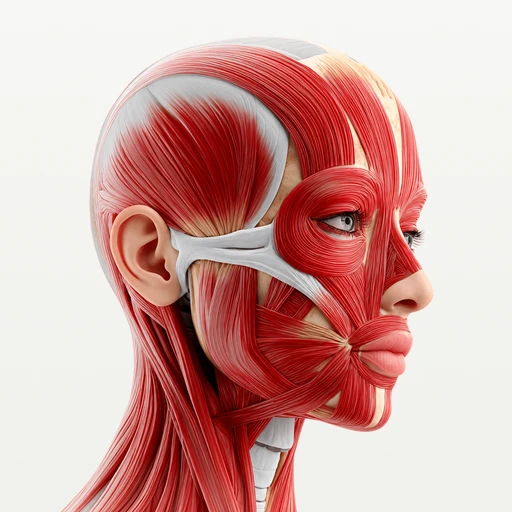
2,000 structures, six layers to peel, muscle cards with origin, insertion and action, every organ part by part and a quiz to test yourself. No account, no ads, works offline on iPhone and iPad.
Download free on the App Store